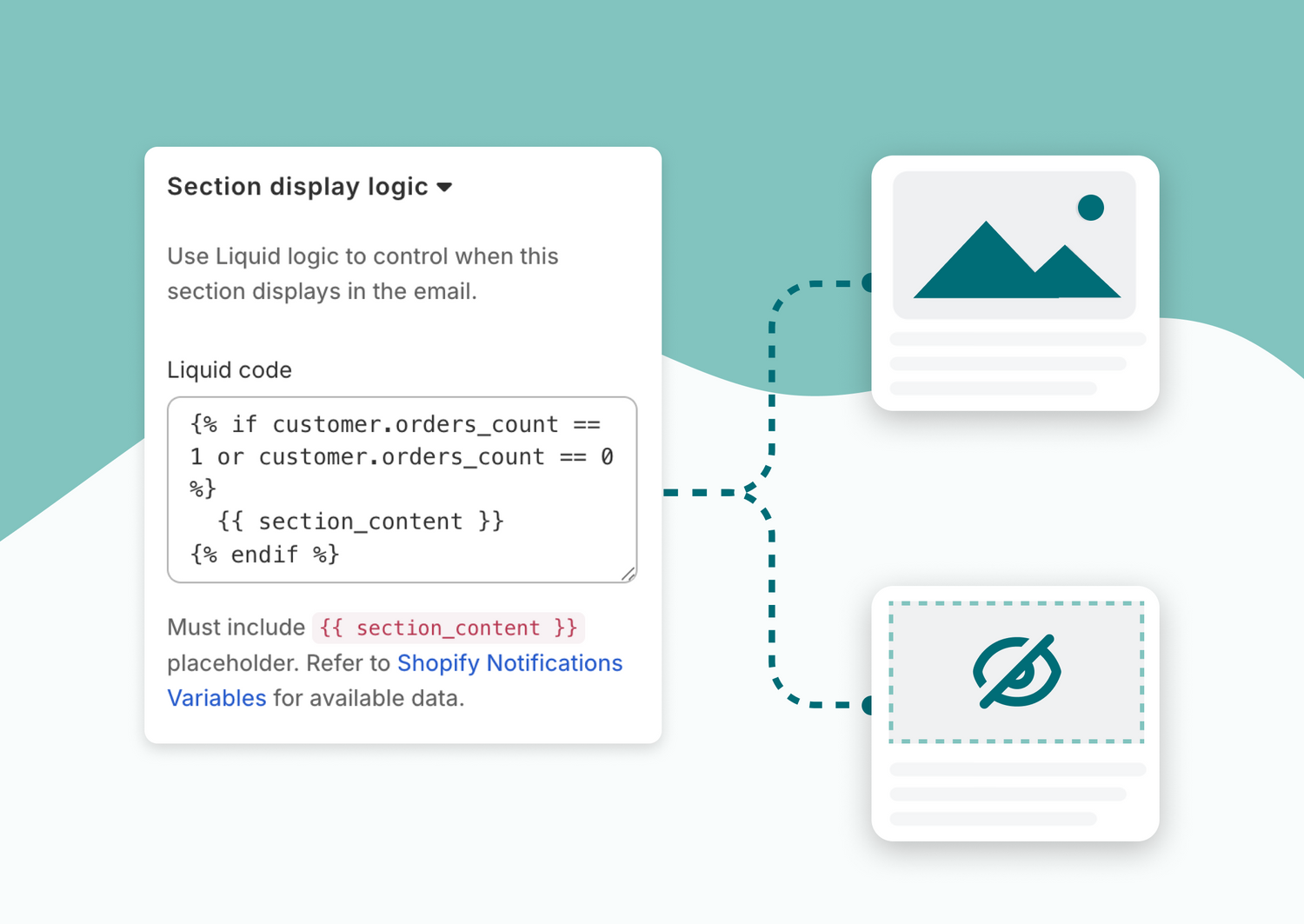
You can now add custom Liquid logic to individual sections in your Shopify email templates. This lets you dynamically control when a section should be included in each email based on the customer, order and product information.
Example, you could show a section only for first-time customers:
{% if customer.orders_count == 1 or customer.orders_count == 0 %}
  {{ section_content }}
{% endif %}
Why this matters for you
- More control over your order confirmation and notification emails
- Tailor content without duplicating templates
- Use real Shopify data to drive email marketing logic
- Keep emails relevant while using a single email template
Why this is better for your customers
- Emails feel more personal and timely
- First-time buyers and returning customers can get different messaging
- Less noise, more relevant information in every order email
How to use it
While editing any email in Orderly Emails, select a section, and add your custom Liquid logic in the "Section display logic" section settings

Learn more
Read the full blog post to learn more about sending smarter Shopify order emails with liquid logic.
Orderly Emails is built for Shopify and works directly in your Shopify admin. View or install Orderly Emails on the Shopify App Store: https://apps.shopify.com/email-templates